It’s about catching customers in the act and providing highly relevant and highly contextual information.
Paul Maritz, former CEO at Pivotal

Designing a product that looks good isn’t enough if people struggle to use it. Even the most experienced teams can make assumptions about how users will behave, and those assumptions can sneak into the design.
Usability testing is a practical UX research method where you run a usability test to uncover real usability issues before they become expensive to fix. It gives you a reality check by showing how real users actually interact with your product, what they can do easily, and what trips them up. This approach helps you make informed design decisions based on facts rather than hunches.
In this guide, we'll cover the basics of usability testing, why it's crucial, and how to get it right.
Usability testing is a core UX research method used to spot issues, improve flows, and validate design decisions through a structured usability test. Even though people often mix them up, usability testing and user testing have some real differences in terms of what they cover and how they're done.
It’s about catching customers in the act and providing highly relevant and highly contextual information.
Paul Maritz, former CEO at Pivotal
In the context of user testing, there are two primary roles: the researcher, often referred to as a facilitator or moderator, and the participant. The facilitator plays a vital role in guiding the testing session, while the participant is the actual user who interacts with the design.
In a usability testing session, the participant works through a series of tasks while the facilitator watches their behavior, listens to their thoughts, and takes note of any challenges they run into. This kind of testing can work for all sorts of designs, such as websites, mobile apps, devices, and even physical products.
By running usability tests, you can find problems and areas where you can improve that you might have missed otherwise. For example, a website's navigation menu might seem straightforward to the design team, but testing can show that users find it confusing or hard to use.
Once you have these insights, you can use them to tweak your design, making it more user-friendly and efficient.
Every usability test comes down to a few key elements that affect the quality of the insights you get. While the methods and formats might differ, good usability testing always comes down to the basics: a facilitator to lead the session, tasks that mirror real use through clear test scenarios, and participants who match your target users.
When these elements are planned and executed well, usability testing can uncover important issues and areas for improvement. If they're not, the results might be skewed, incomplete, or misleading.

The facilitator carries a big role in the usability testing process. In moderated usability testing, the facilitator guides participants through the process while trying to stay neutral and avoid influencing participants. Mastering that kind of balance is quite challenging and requires a lot of training.
A skilled facilitator should know how to create a comfortable and neutral testing environment, encouraging participants to share their honest thoughts and feelings. For example, a facilitator might use open-ended questions to motivate participants to think out loud.
If a facilitator is not well-trained, they might unintentionally influence participants' responses, leading to inaccurate or misleading data.
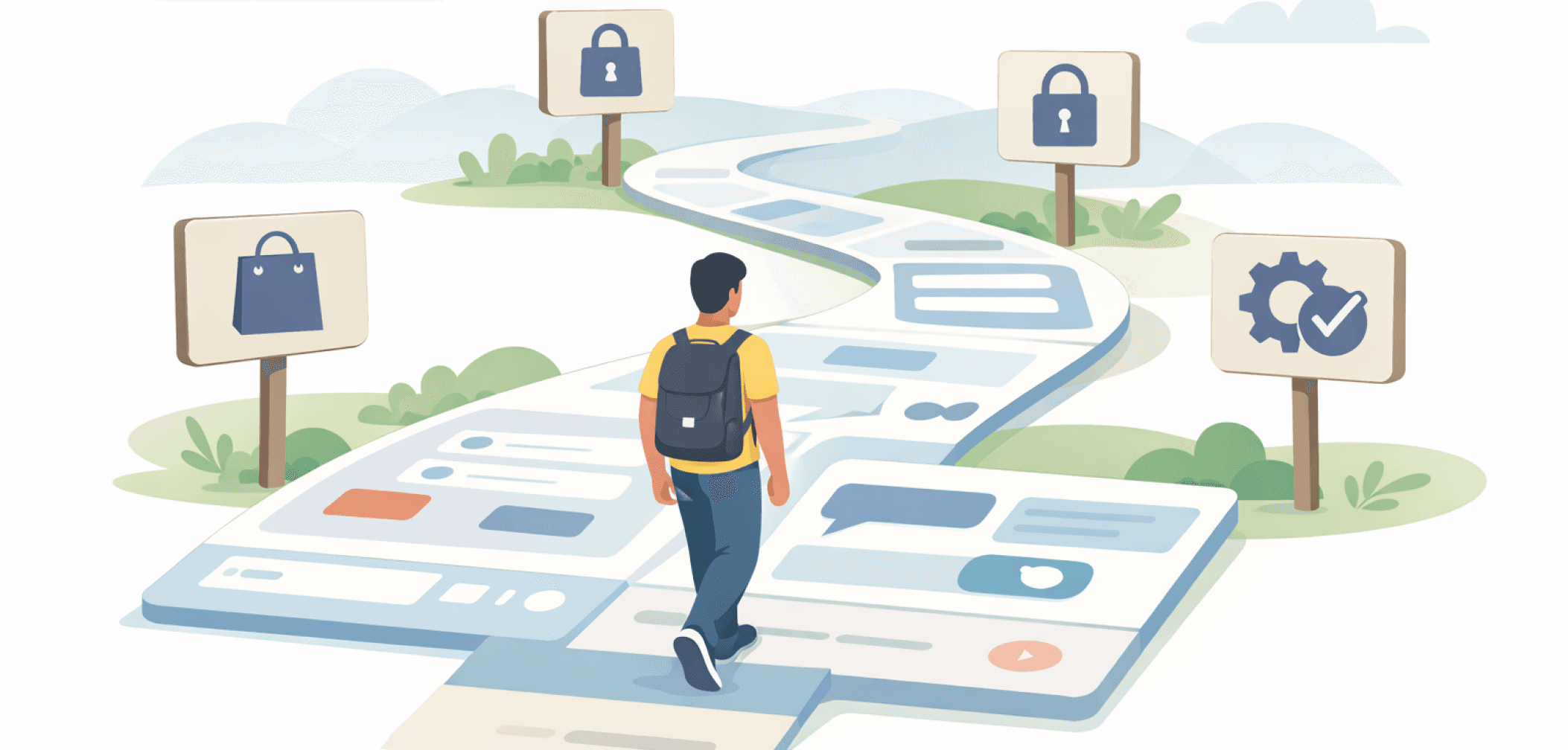
Tasks in usability testing are most often realistic activities written as clear task scenarios that reflect real-life goals participants might have in their day-to-day lives
The wording of these tasks is critical because it influences the participants' understanding, their behavior, and eventually the feedback itself. By using clear and neutral language, you can prevent bias and ensure data validity.
Errors in phrasing can lead to misunderstandings or even influence how participants perform given tasks, which is often referred to as "priming."
Here are some examples for usability testing tasks:
Find a blue t-shirt and check whether it can be delivered by Friday (Tests navigation, filtering, and delivery info.)
You want to change your password because you forgot it. Show what you would do (Tests account settings and recovery flow.)
You’re looking for a beginner-friendly yoga class in your area. Find one that’s still available for the next week (Tests search, category structure, and decision-making.)
Find out how to contact customer support about a billing issue (Tests help access and support discoverability.)
You want to cancel a subscription before the next payment. Show where you would go (Tests trust, clarity, and account management.)

Participants are the heart of usability testing, providing authentic feedback and insights into real pain points, behaviors, and needs. To get accurate and relevant data, it's very important to recruit participants who are representative of the target user group. The number of participants varies based on the type of usability testing you are planning to do.
During testing, participants are often asked to think out loud (the think-aloud protocol), sharing their thoughts, feelings, and motivations as they interact with a product or system. This helps researchers understand the participants' goals, behaviors, and decision-making processes.
For example, a participant might say, "I'm having trouble finding the login button," which could indicate a design flaw or usability issue. By analyzing this feedback, designers and developers can identify areas for improvement and create a more user-friendly product.
It’s also important to remember that when a participant asks something like, “What does this button do?” you shouldn’t answer directly. Instead, respond with a question such as, “What do you think that button does?” This encourages them to think out loud, revealing how they interpret the interface and helping you gather more meaningful insights.
Usability testing offers a lot of advantages that can make a product better overall. One of the biggest perks is being able to spot and fix real user issues early on. This lets you catch even the tiny mistakes and make tweaks before they become huge problems.
Testing also gives designers an unbiased perspective on the product, which is key to creating something that's really centered around the user.
By doing research, you'll uncover ways to improve your final product. You'll get to learn about your target users' behavior and what they prefer. Plus, usability testing shows you how much users actually enjoy using the product, which is a big factor in determining its success.
The process of usability testing is pretty straightforward and can be done in many ways. It's a great way to see how easy it is to complete tasks and how long they take. This helps designers identify areas that need fixing. For example, if users struggle to complete a task quickly, it might mean the design needs to be simplified.
And since there are many variables in designing a modern user interface, the only way to get UX design right is to test it.
Testing a product with real users lets designers check if their ideas are on track and make informed decisions to improve the user experience. Usability testing also helps them steer clear of common mistakes like assuming users will grasp complicated jargon or be able to navigate a cluttered interface.
By making usability testing a priority, designers can create products that are easy to use, meet users' needs, and work the way they're supposed to for their target audience.
Usability tests can be broken down into two types: in-person or remote, and moderated or unmoderated. Each of these methods has its pros and cons.
Let's break it down and explore what makes each type unique and when to use them.
When a facilitator and participant are in the same room, that's what we call moderated in-person usability testing. This type of usability testing gives the facilitator the option to guide the session and clarify the tasks or instructions. If a participant gets stuck, the facilitator can step in and help them get a handle on what's going on.
This type of testing is great for catching non-verbal cues like body language and facial expressions, which can give you a pretty good idea of how users really experience things.
Moderated remote usability testing feels pretty much the same as in-person testing, except everyone's in a different location and uses screen-sharing software.
This approach has its perks. You can test with users from all over the place. Plus, you can get real-time feedback and guidance, just like you would if everyone was in the same room.
In unmoderated remote usability testing, the facilitator doesn't interact directly with the participant during the test. In the unmoderated usability testing approach, participants do the test on their own and their sessions are recorded, along with metrics like task success rates and time spent on tasks. After the test, the facilitator gets the recordings and metrics, which are then analyzed to spot trends and patterns in how users behave.
If you’re looking for tools to run unmoderated remote usability tests, here are a few great options:
This type of testing is often used for big studies where you want to gather as much data as possible to help make design decisions.
Usability tests mainly fall into two categories: qualitative and quantitative. Knowing the pros and cons of each type helps you pick the best approach for your project.
Qualitative usability testing is all about gathering insights that help pinpoint problems in the user experience. This approach is pretty standard and involves watching how users behave, what they think, and what drives them.
It's especially handy for spotting usability issues, figuring out what users expect, and finding areas to improve. This approach often works with small test groups.
Qualitative testing isn't the only way to test usability. Quantitative usability testing is all about gathering metrics that paint a picture of the user experience, such as how often people succeed and how long tasks take. In quantitative studies, teams often track metrics like task completion rate (or task success rate), time on task, and error rate to measure performance and compare iterations.
This approach is great for measuring how well a design works and comparing it to others. It gives you hard numbers that can inform design choices and show how changes affect the overall design. This approach usually needs a larger test group to make the numbers meaningful.
Costs of usability testing can differ depending on the scope. Simpler studies can be less expensive, and a small usability test can sometimes be planned, run, and summarized in a few days, if you already know how to do the testing and have access to participants.
You'll spend those days on planning the study, testing and analysing and converting the data you get.
Sometimes you will need to do more expensive usability testing research, and the most common things that add costs to your research are:
Competitive testing of multiple designs
International testing in multiple countries
Testing with multiple user groups (or personas)
Quantitative studies
Using fancy equipment such as eyetrackers
The need for a usability lab and/or observation room
Wanting a detailed analysis and report on the findings
ROI, or return on investment, for advanced studies can still be high, but it's usually not as high as simple studies' ROI.
Usability testing is a core UX research method used to spot issues, improve flows, and validate design decisions through a structured usability test. Even though people often mix them up, usability testing and user testing have some real differences in terms of what they cover and how they're done.
It’s about catching customers in the act and providing highly relevant and highly contextual information.
Paul Maritz, former CEO at Pivotal
In the context of user testing, there are two primary roles: the researcher, often referred to as a facilitator or moderator, and the participant. The facilitator plays a vital role in guiding the testing session, while the participant is the actual user who interacts with the design.
In a usability testing session, the participant works through a series of tasks while the facilitator watches their behavior, listens to their thoughts, and takes note of any challenges they run into. This kind of testing can work for all sorts of designs, such as websites, mobile apps, devices, and even physical products.
By running usability tests, you can find problems and areas where you can improve that you might have missed otherwise. For example, a website's navigation menu might seem straightforward to the design team, but testing can show that users find it confusing or hard to use.
Once you have these insights, you can use them to tweak your design, making it more user-friendly and efficient.
Every usability test comes down to a few key elements that affect the quality of the insights you get. While the methods and formats might differ, good usability testing always comes down to the basics: a facilitator to lead the session, tasks that mirror real use through clear test scenarios, and participants who match your target users.
When these elements are planned and executed well, usability testing can uncover important issues and areas for improvement. If they're not, the results might be skewed, incomplete, or misleading.
The facilitator carries a big role in the usability testing process. In moderated usability testing, the facilitator guides participants through the process while trying to stay neutral and avoid influencing participants. Mastering that kind of balance is quite challenging and requires a lot of training.
A skilled facilitator should know how to create a comfortable and neutral testing environment, encouraging participants to share their honest thoughts and feelings. For example, a facilitator might use open-ended questions to motivate participants to think out loud.
If a facilitator is not well-trained, they might unintentionally influence participants' responses, leading to inaccurate or misleading data.
Tasks in usability testing are most often realistic activities written as clear task scenarios that reflect real-life goals participants might have in their day-to-day lives
The wording of these tasks is critical because it influences the participants' understanding, their behavior, and eventually the feedback itself. By using clear and neutral language, you can prevent bias and ensure data validity.
Errors in phrasing can lead to misunderstandings or even influence how participants perform given tasks, which is often referred to as "priming."
Here are some examples for usability testing tasks:
Find a blue t-shirt and check whether it can be delivered by Friday (Tests navigation, filtering, and delivery info.)
You want to change your password because you forgot it. Show what you would do (Tests account settings and recovery flow.)
You’re looking for a beginner-friendly yoga class in your area. Find one that’s still available for the next week (Tests search, category structure, and decision-making.)
Find out how to contact customer support about a billing issue (Tests help access and support discoverability.)
You want to cancel a subscription before the next payment. Show where you would go (Tests trust, clarity, and account management.)
Participants are the heart of usability testing, providing authentic feedback and insights into real pain points, behaviors, and needs. To get accurate and relevant data, it's very important to recruit participants who are representative of the target user group. The number of participants varies based on the type of usability testing you are planning to do.
During testing, participants are often asked to think out loud (the think-aloud protocol), sharing their thoughts, feelings, and motivations as they interact with a product or system. This helps researchers understand the participants' goals, behaviors, and decision-making processes.
For example, a participant might say, "I'm having trouble finding the login button," which could indicate a design flaw or usability issue. By analyzing this feedback, designers and developers can identify areas for improvement and create a more user-friendly product.
It’s also important to remember that when a participant asks something like, “What does this button do?” you shouldn’t answer directly. Instead, respond with a question such as, “What do you think that button does?” This encourages them to think out loud, revealing how they interpret the interface and helping you gather more meaningful insights.
Usability testing offers a lot of advantages that can make a product better overall. One of the biggest perks is being able to spot and fix real user issues early on. This lets you catch even the tiny mistakes and make tweaks before they become huge problems.
Testing also gives designers an unbiased perspective on the product, which is key to creating something that's really centered around the user.
By doing research, you'll uncover ways to improve your final product. You'll get to learn about your target users' behavior and what they prefer. Plus, usability testing shows you how much users actually enjoy using the product, which is a big factor in determining its success.
The process of usability testing is pretty straightforward and can be done in many ways. It's a great way to see how easy it is to complete tasks and how long they take. This helps designers identify areas that need fixing. For example, if users struggle to complete a task quickly, it might mean the design needs to be simplified.
And since there are many variables in designing a modern user interface, the only way to get UX design right is to test it.
Testing a product with real users lets designers check if their ideas are on track and make informed decisions to improve the user experience. Usability testing also helps them steer clear of common mistakes like assuming users will grasp complicated jargon or be able to navigate a cluttered interface.
By making usability testing a priority, designers can create products that are easy to use, meet users' needs, and work the way they're supposed to for their target audience.
Usability tests can be broken down into two types: in-person or remote, and moderated or unmoderated. Each of these methods has its pros and cons.
Let's break it down and explore what makes each type unique and when to use them.
When a facilitator and participant are in the same room, that's what we call moderated in-person usability testing. This type of usability testing gives the facilitator the option to guide the session and clarify the tasks or instructions. If a participant gets stuck, the facilitator can step in and help them get a handle on what's going on.
This type of testing is great for catching non-verbal cues like body language and facial expressions, which can give you a pretty good idea of how users really experience things.
Moderated remote usability testing feels pretty much the same as in-person testing, except everyone's in a different location and uses screen-sharing software.
This approach has its perks. You can test with users from all over the place. Plus, you can get real-time feedback and guidance, just like you would if everyone was in the same room.
In unmoderated remote usability testing, the facilitator doesn't interact directly with the participant during the test. In the unmoderated usability testing approach, participants do the test on their own and their sessions are recorded, along with metrics like task success rates and time spent on tasks. After the test, the facilitator gets the recordings and metrics, which are then analyzed to spot trends and patterns in how users behave.
If you’re looking for tools to run unmoderated remote usability tests, here are a few great options:
This type of testing is often used for big studies where you want to gather as much data as possible to help make design decisions.
Usability tests mainly fall into two categories: qualitative and quantitative. Knowing the pros and cons of each type helps you pick the best approach for your project.
Qualitative usability testing is all about gathering insights that help pinpoint problems in the user experience. This approach is pretty standard and involves watching how users behave, what they think, and what drives them.
It's especially handy for spotting usability issues, figuring out what users expect, and finding areas to improve. This approach often works with small test groups.
Qualitative testing isn't the only way to test usability. Quantitative usability testing is all about gathering metrics that paint a picture of the user experience, such as how often people succeed and how long tasks take. In quantitative studies, teams often track metrics like task completion rate (or task success rate), time on task, and error rate to measure performance and compare iterations.
This approach is great for measuring how well a design works and comparing it to others. It gives you hard numbers that can inform design choices and show how changes affect the overall design. This approach usually needs a larger test group to make the numbers meaningful.
Costs of usability testing can differ depending on the scope. Simpler studies can be less expensive, and a small usability test can sometimes be planned, run, and summarized in a few days, if you already know how to do the testing and have access to participants.
You'll spend those days on planning the study, testing and analysing and converting the data you get.
Sometimes you will need to do more expensive usability testing research, and the most common things that add costs to your research are:
Competitive testing of multiple designs
International testing in multiple countries
Testing with multiple user groups (or personas)
Quantitative studies
Using fancy equipment such as eyetrackers
The need for a usability lab and/or observation room
Wanting a detailed analysis and report on the findings
ROI, or return on investment, for advanced studies can still be high, but it's usually not as high as simple studies' ROI.

Running a usability test doesn’t have to be complicated, but it does require the right structure. Here’s a step-by-step breakdown of how to plan, conduct, and learn from a successful usability testing session.
Usability testing is an ongoing process that takes some planning to get right. To make it run effectively, you need to clearly define what you're testing and what you want to achieve. This means setting specific goals and outcomes. From there, create a simple usability test plan and a usability testing script so every participant gets consistent tasks and prompts.
You'll also need to figure out how to run the tests and set up tasks that are similar to real-life situations. Prioritizing is key, so focus on the most important things first. Create different scenarios that cover various ways users will interact with what you're testing. Find the right people to participate by matching them to your target user demographics. Lastly, facilitate the testing so it goes smoothly and according to plan.
Open communication is key to successful usability testing. When team members share their thoughts and ideas freely, everyone benefits. Insights, expertise, and feedback get shared, helping the team spot and fix potential issues early on. It's also crucial to have a clear objective in mind as it gives everyone a common goal to work toward, making collaboration a whole lot easier.
Finding the right people to test your product is really important. You need to recruit users who fit your target group so they can give you genuine and useful feedback. For example, if you're designing a mobile app for seniors, you should test it with people in that age group. This way, you can make sure the app is easy for them to use and works for them.
You can ask the participants questions while they're using your product, which can be really helpful in getting a better sense of what's going through their minds. You'll be able to understand what frustrates them, what they like, and what's working for them.
This information can help you pinpoint problems with usability, like navigation that's hard to follow or instructions that aren't clear. It also gives you solid data to make informed decisions and improve your product.
To run effective usability tests, you should gather data like user feedback, completion rates, and error rates, and use it to identify what's working and what's not. Look for patterns and trends in the data, and use them to draw some useful conclusions.
For example, you might find that a certain feature is causing users to struggle, which could prompt you to tweak the design or offer some extra help. By doing this, you can make your product better, more efficient, and a lot more user-friendly.
Conducting UX research is only half of a complete job. The other half consists of presenting that UX research to your stakeholders in a way that will help them understand the data and motivate them to take action.
Prepare your usability test
Communicate goals with your team
Find the right participants
Conduct the usability test
Analyze results and share insights
Prepare your usability test
Communicate goals with your team
Find the right participants
Conduct the usability test
Analyze results and share insights
Usability testing gives teams a view of how real users interact with their product and where things get tricky. By watching people complete tasks that mirror real life, teams can identify usability issues they might otherwise overlook.
With clear goals, participants who represent the target audience, and neutral facilitators, usability testing is a solid way to improve user experience and make more informed design choices.
We’re thrilled to invite you to join our incredible community of product designers (and enthusiasts) by following us on Instagram. We’re here to support you on your journey to falling in love with product design and advancing your career!
Keep on designing and stay hungry, stay foolish! 🥳
andrija & supercharge design team

We’re thrilled to invite you to join our incredible community of product designers (and enthusiasts) by following us on Instagram. We’re here to support you on your journey to falling in love with product design and advancing your career!
Keep on designing and stay hungry, stay foolish! 🥳
andrija & supercharge design team
LIMITED-TIME OFFER
Just tell us where to send them
You can unsubscribe at any time—no strings attached
LIMITED-TIME OFFER
Just tell us where to send them
You can unsubscribe at any time—no strings attached