
Tree Testing vs Card Sorting: Key Differences, Use Cases and When to Use Each in UX
Have you ever mixed up tree testing and card sorting, or wondered when to use which? They’re closely related, but each serves a different purpose.
Card sorting is a generative method that helps reveal how people naturally group content and think about structure, while tree testing is evaluative; it checks how easily users can find their way through that structure. In most projects, card sorting comes first and tree testing follows.
In this article, we’ll go through each one in more detail and break down the main differences. Are you ready? Let's dive in.
Table Of Contents
What is tree testing in UX design
Tree testing is a quantitative UX research method used to evaluate the findability of topics in a website or app’s navigation hierarchy. It can be used as both a qualitative and a quantitative research method, depending on whether you are interested in a formative or summative evaluation.
Sometimes a tree test may involve several trees rather than just one. For instance, if you’re deciding between different category names, you might create two separate trees to see which wording performs better.
When testing multiple trees, use a between-subjects design; each participant should only see one version. Otherwise, exposure to the first tree can affect how they interact with the second.
If you want to learn more about the topic, we’ve covered it in more detail in our guide to UX research methods.
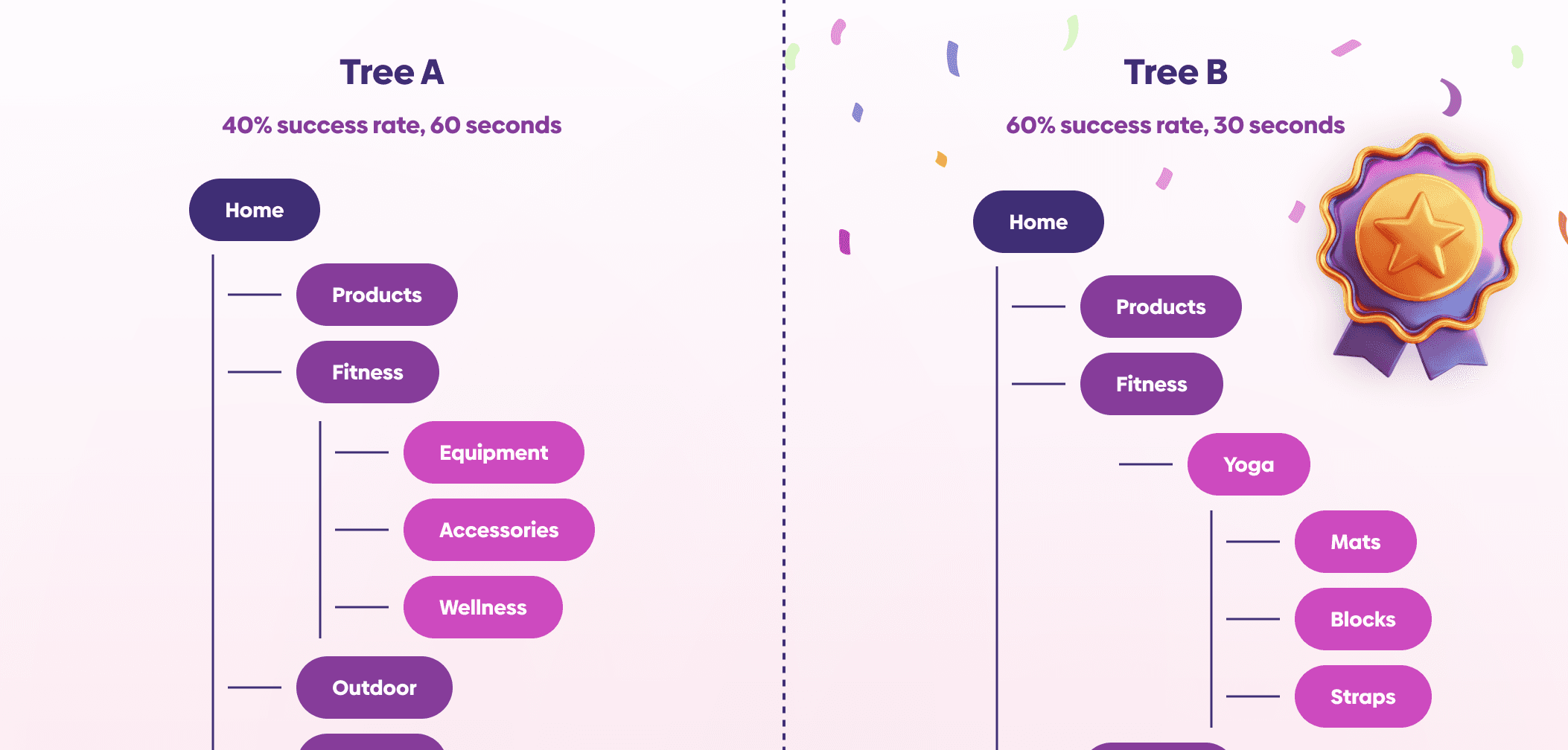
Example of tree testing in UX design
What is card sorting in UX design
Card sorting is a UX research method where participants group topics, navigation items, or pieces of content in a way that makes sense to them. It helps you understand how users think and what structure feels intuitive, so you can design clearer navigation, menus, and overall information architecture.
The results from card sorting are usually used to shape your information architecture (IA), which you can then test further with methods like tree testing. You can run a card sorting study in person or remotely, though remote sessions are more common today because they’re easier to organize and scale.
Types of card sorting sessions
There are three main types of card sorting, each used in slightly different situations:
Open card sorting: participants create their own groups
Closed card sorting: participants sort content into predefined categories
Hybrid card sorting: participants get a starting structure but are still allowed to create new groups if needed
Open card sorting: participants create their own groups
Closed card sorting: participants sort content into predefined categories
Hybrid card sorting: participants get a starting structure but are still allowed to create new groups if needed

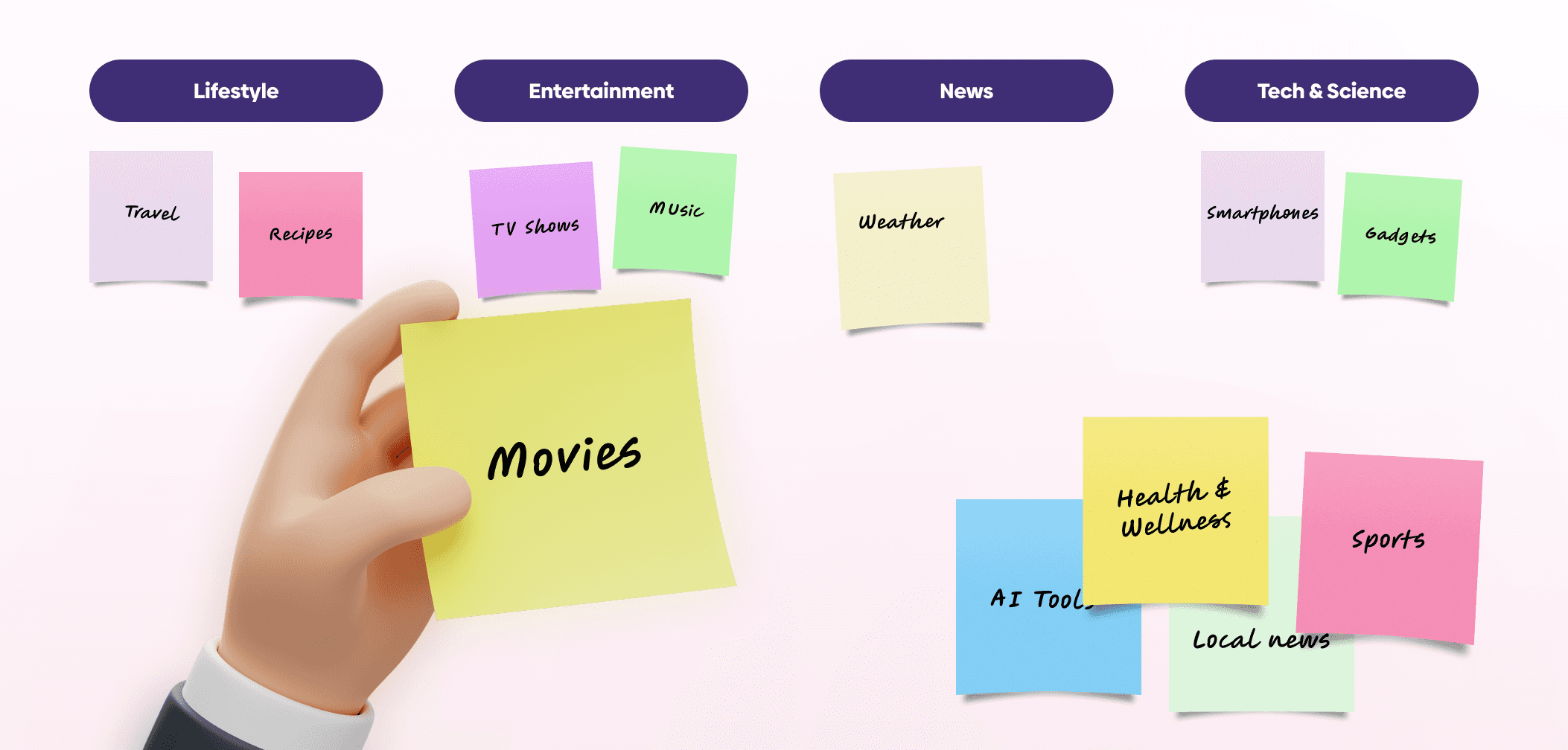
Card sorting example
Tree testing vs card sorting: key differences
Tree testing and card sorting are complementary UX research methods used to design and evaluate information architecture (IA), as also explored in this detailed comparison by Nielsen Norman Group. Because they both focus on improving navigation and content structure, they’re often confused or used interchangeably, but they serve different purposes.
Card sorting is typically used earlier in the process to understand how people naturally group and categorize content.
Tree testing, on the other hand, is used to evaluate an existing navigation structure or compare different versions to see which one performs better.
Knowing when to use each method and in what context helps you get more meaningful insights from users and make better, more informed design decisions.
Card sorting | Tree testing | |
|---|---|---|
Choose when | You want to uncover user mental models and find potential ways to organize content | You want to evaluate an existing or proposed navigation structure |
Process | Users are organizing labeled cards into groups in a way that makes sense for them | Users click through the hierarchical menu until they believe they found the location that contains the information specified in the task |
Type of methodology | Generative | Evaluative |
Let’s take a closer look at when to use each.
When to use tree testing
Tree testing is most useful once you already have a proposed structure and want to see how well it works for users. It’s commonly used:
At the beginning of a redesign project: to evaluate how well your current navigation performs and identify problem areas
After a card sorting study: to validate whether the new structure actually makes sense to users in practice
Before creating content or layouts: to make sure your information architecture is solid before investing time in design and development
At the beginning of a redesign project: to evaluate how well your current navigation performs and identify problem areas
After a card sorting study: to validate whether the new structure actually makes sense to users in practice
Before creating content or layouts: to make sure your information architecture is solid before investing time in design and development
When to use card sorting
Card sorting is most useful early in the process, when you’re still figuring out how to structure your content. It’s commonly used:
When organizing content, services, or product offerings: to make sure the structure feels intuitive for users
At the start of a new project: when there’s no clear information architecture yet
During a redesign: to rethink and improve an existing structure based on how users actually group information
When organizing content, services, or product offerings: to make sure the structure feels intuitive for users
At the start of a new project: when there’s no clear information architecture yet
During a redesign: to rethink and improve an existing structure based on how users actually group information
How to conduct each method
Let’s go through the steps for running each method in practice.
How to conduct a tree test
One of the advantages of tree testing is that you don’t need fully designed screens or prototypes. Instead, you’re testing a simplified version of your navigation structure.
To run a tree test, follow these steps:
1
Create the tree: build a hierarchical menu that represents your site’s navigation. This is usually shown as expandable categories (like an accordion), without any visual design or content
2
Write tasks: create clear instructions that tell participants what they need to find within the structure
3
Test with users: participants click through categories and subcategories until they believe they’ve found the right location for the task
4
Review the data: analyze success rates, paths taken, time to find, and where users got lost to identify issues in the structure. If you want to learn more about presenting those findings, check out our guide to presenting UX research findings.
1
Create the tree: build a hierarchical menu that represents your site’s navigation. This is usually shown as expandable categories (like an accordion), without any visual design or content
2
Write tasks: create clear instructions that tell participants what they need to find within the structure
3
Test with users: participants click through categories and subcategories until they believe they’ve found the right location for the task
4
Review the data: analyze success rates, paths taken, time to find, and where users got lost to identify issues in the structure. If you want to learn more about presenting those findings, check out our guide to presenting UX research findings.
If you want a more detailed breakdown of the process, you can explore this complete guide to tree testing by IxDF.
How to conduct a card sorting session
Card sorting is simple to set up and focuses on how users group information.
To run a card sorting session, follow these steps:
1
Create the cards: each card should represent a piece of content, feature, or concept
2
Present the cards to participants: give users an unsorted set of cards
3
Ask them to group the cards: participants organize the items in a way that makes sense to them (and name groups, if it’s an open sort)
4
Analyze the results: look for patterns in how users grouped items to inform your information architecture
1
Create the cards: each card should represent a piece of content, feature, or concept
2
Present the cards to participants: give users an unsorted set of cards
3
Ask them to group the cards: participants organize the items in a way that makes sense to them (and name groups, if it’s an open sort)
4
Analyze the results: look for patterns in how users grouped items to inform your information architecture
For a more in-depth walkthrough and examples, check out this guide to card sorting by UXTweak.
Best tools for tree testing and card sorting
Let’s go through the best tools for each of these methods.
Tools you can use for tree testing
You can run a tree test using simple methods like paper prototypes or general clickable prototyping tools. However, tools built specifically for tree testing are usually worth it, as they make it easier to run tests and analyze results.
Some good options include:
Tools you can use for card sorting
Card sorting can be done in person using physical cards, or remotely with digital tools. Dedicated tools help you run sessions more efficiently and make it easier to analyze how participants group content.
Some commonly used tools are:
You can also find ready-made templates in tools like FigJam, which are great for quick and collaborative card sorting sessions.

Conclusion
Card sorting and tree testing are often used together because they solve two sides of the same problem.
Card sorting helps you understand how users naturally group and categorize content, giving you a strong foundation for building your information architecture. Tree testing then takes that structure and checks whether it actually works in practice, whether users can find what they’re looking for quickly and easily.
When combined, these methods reduce guesswork and replace assumptions with real user insights. Instead of relying on internal opinions, you’re making decisions based on how your users actually think and behave.
FAQ
What is the difference between tree testing and card sorting?
What is the difference between tree testing and card sorting?
Should card sorting come before tree testing?
Should card sorting come before tree testing?
Can you use tree testing without card sorting?
Can you use tree testing without card sorting?
We’re thrilled to invite you to join our incredible community of product designers (and enthusiasts) by following us on Instagram. We’re here to support you on your journey to falling in love with product design and advancing your career!
Keep on designing and stay hungry, stay foolish! 🥳
andrija & supercharge design team

We’re thrilled to invite you to join our incredible community of product designers (and enthusiasts) by following us on Instagram. We’re here to support you on your journey to falling in love with product design and advancing your career!
Keep on designing and stay hungry, stay foolish! 🥳
andrija & supercharge design team
Related blog posts
You might like the following



LIMITED-TIME OFFER
Get 12 premium members-only video lessons for free
Just tell us where to send them
You can unsubscribe at any time—no strings attached
LIMITED-TIME OFFER
Get 12 premium members-only video lessons for free
Just tell us where to send them
You can unsubscribe at any time—no strings attached